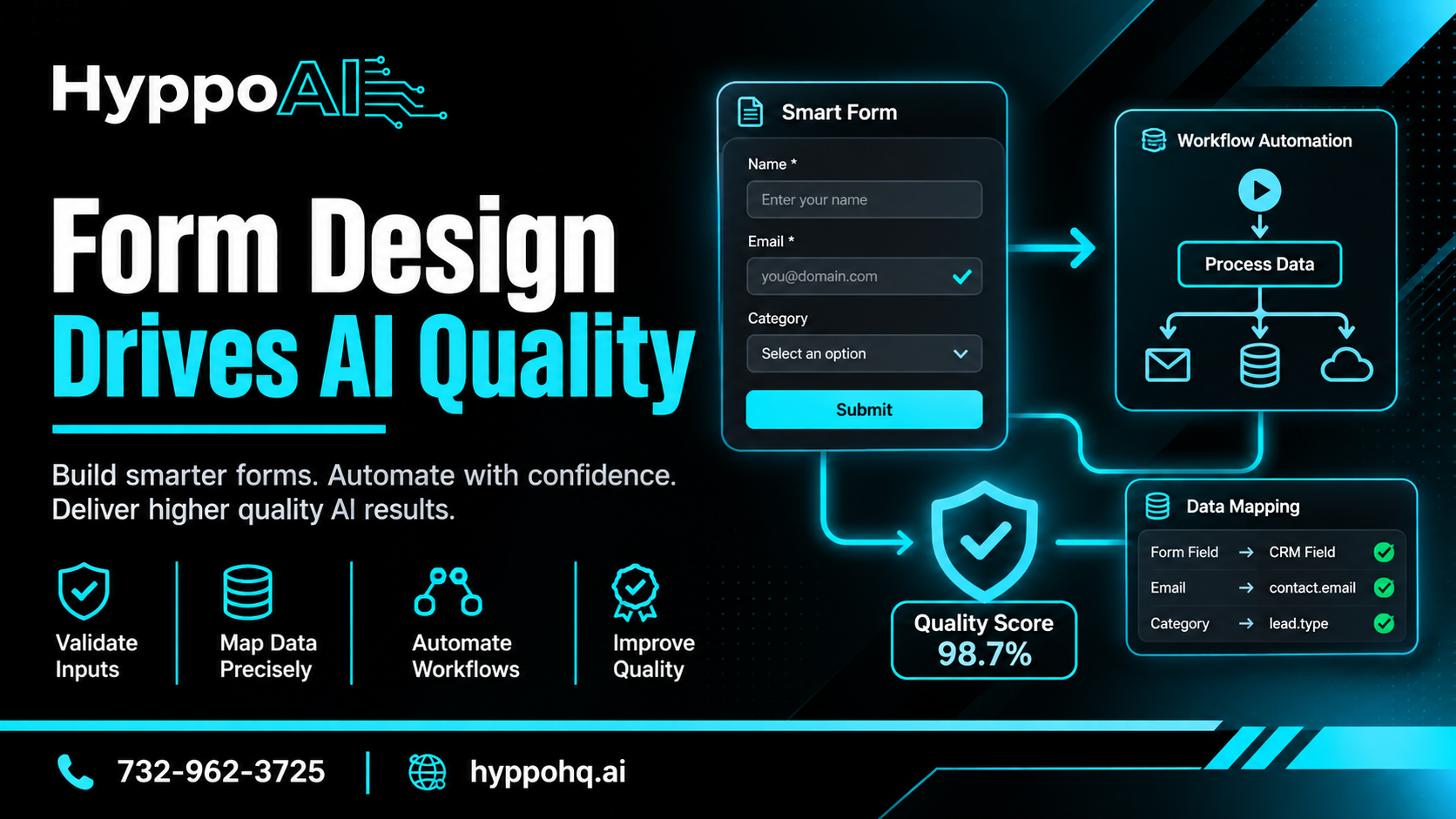
Why form design affects automation quality in AI workflows
Automation quality starts long before a workflow runs. It starts at the form.
For SMBs investing in AI and automation, this is one of the most overlooked truths: the quality of your automation is directly tied to the quality of the information you collect. If your forms are vague, inconsistent, or overloaded, your systems have to guess. And when systems guess, errors multiply.
At HyppoAI, we look at automation as a systems problem, not just a software problem. A form is not just a way to collect information. It is the front door to your workflow, your CRM, your follow-up, and often your customer experience.
Why form design matters more than most teams think
Most businesses treat forms like a simple website element. Add a few fields, collect submissions, and move on. But forms do much more than capture leads.
They shape:
- Data quality
- Routing accuracy
- CRM cleanliness
- Follow-up speed
- Personalization quality
- Reporting reliability
- AI output consistency
If a form is poorly structured, every downstream system suffers. Your automations may still run, but they will run on flawed inputs. That means bad tags, wrong assignments, weak summaries, duplicate records, and missed opportunities.
In short, better form design creates better automation decisions.
Garbage in, garbage out applies to automation
This principle is simple and brutal: if the input is messy, the output will be messy.
Automation tools are fast, but they are not magic. AI can help interpret unstructured data, but even strong models perform better when the source data is clear. If one lead writes a full paragraph in a single open text field and another selects from a standardized list, the system has two very different jobs to do.
One is predictable.
The other introduces ambiguity.
Ambiguity is where automation quality drops.
Common form design issues that hurt automation
Here are some of the biggest problems we see:
- Too many open-ended fields
- No required fields for critical information
- Inconsistent field naming across forms
- Duplicate questions asked in different ways
- Poor use of dropdowns, checkboxes, and radio buttons
- No validation for phone numbers or emails
- No segmentation fields for lead type, service need, or urgency
- Long forms that encourage low-effort or inaccurate responses
These issues may seem small, but they create friction for both users and systems.
Structured data improves automation quality
The best automations run on structured, intentional inputs.
When a form is designed well, every answer has a purpose. Each field maps to an action, a tag, a route, or a follow-up sequence. Instead of forcing AI or staff to interpret messy submissions, the system can move with confidence.
For example, a strong form can help automation:
- Route inquiries to the right team
- Trigger the correct email or SMS sequence
- Prioritize urgent leads
- Personalize follow-up based on service interest
- Create cleaner CRM records
- Feed AI summaries with better context
This is where form design becomes operational design.
Good forms reduce interpretation work
Every time your automation has to interpret, translate, or infer meaning, you introduce risk.
A better approach is to reduce interpretation wherever possible.
Instead of asking:
- “How can we help?”
You might ask:
- “What are you interested in?” with predefined options
- “How soon do you need help?” with urgency choices
- “What is your preferred contact method?” with clear selections
This does not remove flexibility. It creates clarity.
And clarity is what high-performing automation needs.
Better forms create better AI outputs
If you are using AI for lead qualification, summaries, chat follow-up, or workflow decisions, form design matters even more.
AI performs best when context is relevant, concise, and organized. A clean form gives the model stronger signals. A messy form forces the model to work harder to identify intent, urgency, and next steps.
That can lead to:
- Lower accuracy in summaries
- Weaker lead scoring
- Less relevant responses
- Inconsistent categorization
- More manual review
In other words, bad forms quietly increase operational overhead.
AI is powerful, but not a substitute for clean inputs
Many businesses assume AI will fix broken processes automatically. It can help, but it should not be used as a bandage for poor system design.
If your form asks unclear questions, collects too much irrelevant information, or fails to capture key details, AI is being asked to repair a preventable problem.
A better strategy is this:
- Design the form around the decision you need to make
- Standardize inputs wherever possible
- Use AI to enhance the process, not rescue it
That is how you improve both accuracy and scale.
What strong form design looks like
A well-designed form is simple for the user and useful for the system.
That means it should be:
- Easy to complete
- Focused on essential data
- Structured for automation logic
- Consistent with CRM field mapping
- Clear in wording and intent
- Built with validation where needed
Practical form design principles for SMBs
If you want better automation quality, start with these principles:
1. Ask only what you need
Every field should have a job. If a field does not drive a decision, route, or action, question whether it belongs.
2. Use standardized choices
Dropdowns, radio buttons, and checkboxes create cleaner data than large open text boxes.
3. Make critical fields required
If your team cannot act without a phone number, service type, or timeline, do not leave that optional.
4. Validate inputs
Use formatting rules for email, phone, dates, and other key fields to reduce cleanup later.
5. Match your backend systems
Your form fields should align with your CRM, automation platform, and reporting structure.
6. Reduce cognitive load
Keep language simple. Group related questions. Avoid asking for too much too early.
7. Capture routing signals
Include fields that help determine urgency, location, service category, or lead source when relevant.
The hidden cost of poor form design
Bad forms do not just create inconvenience. They create measurable business drag.
That drag shows up as:
- Slower response times
- More manual correction
- Lower lead conversion
- CRM clutter
- Broken automations
- Weak reporting
- Frustrated staff and prospects
For SMBs, these inefficiencies add up fast. You may think your automation is underperforming when the real issue is the form feeding it.
That is why improving form design is often one of the fastest ways to improve system performance without adding more tools.
Form design is part of automation strategy
If you want high-quality automation, do not start by asking which tool to buy next. Start by asking whether your inputs are reliable.
Forms are not minor details. They are operational assets.
When designed correctly, they help your business:
- Collect better data
- Automate with fewer errors
- Improve AI performance
- Increase speed to lead
- Scale with less manual work
The best automation systems are not just smart on the backend. They are intentional at the point of entry.
If your workflows feel inconsistent, your follow-up feels generic, or your CRM is messy, your form design may be the first place to look.
Want to build cleaner forms and stronger automation systems for your business? Visit https://hyppohq.ai or call +17329623725 to see how HyppoAI helps SMBs improve automation quality from the ground up.
