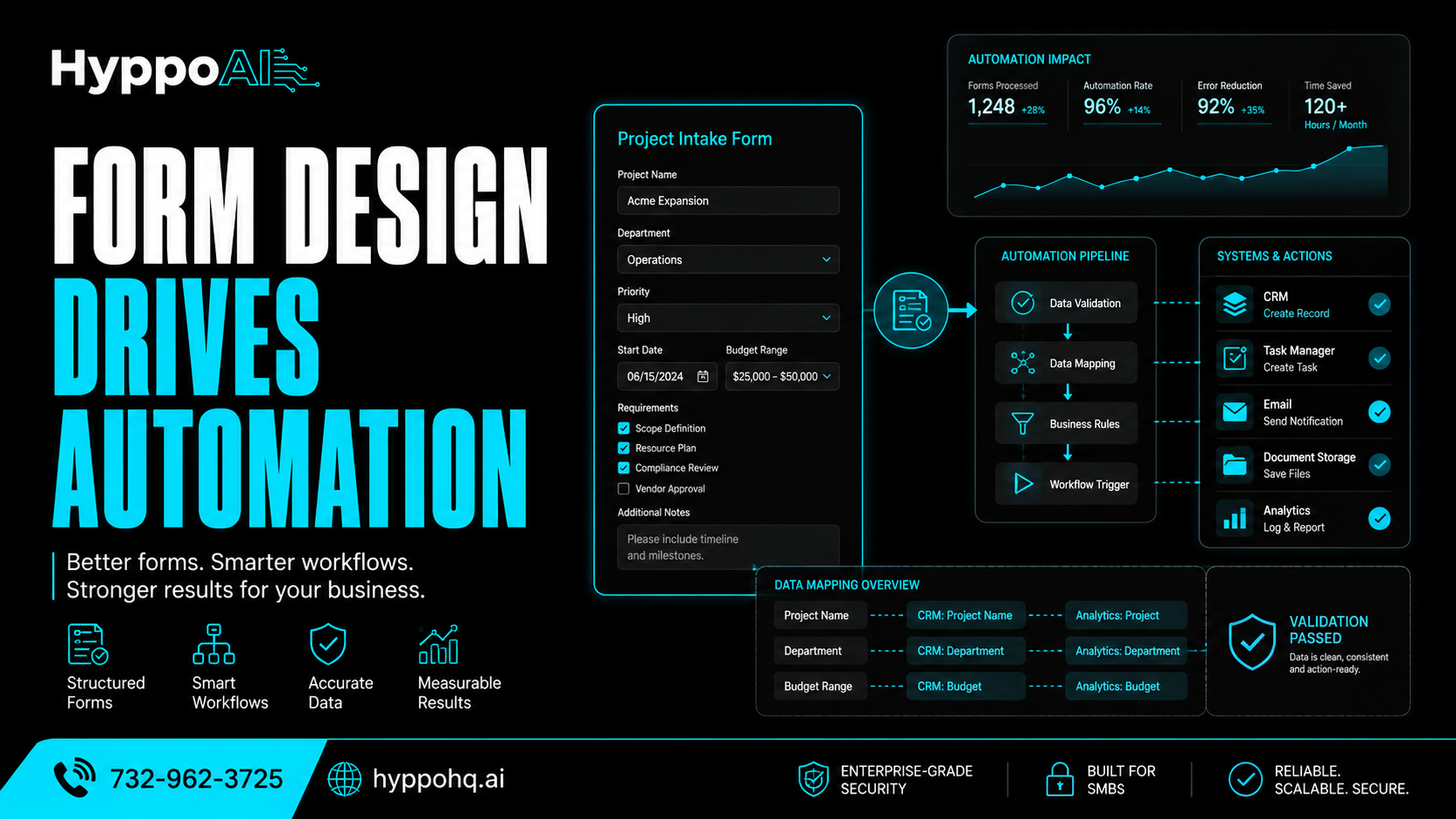
Why form design affects automation quality in SMB workflows
Automation often gets judged by what happens at the end: the email that sends, the task that gets assigned, the lead that enters the CRM, or the AI that replies in seconds.
But the real quality of automation is usually decided at the beginning.
That beginning is the form.
If your form collects vague, inconsistent, or incomplete information, your automation has to work with bad inputs. And when inputs are weak, outputs become unreliable. For SMBs trying to scale without adding more manual work, that is where quality breaks down.
At HyppoAI, we see this often: businesses invest in automation tools, but the underlying form design is what determines whether those systems actually perform well.
Form design is the first layer of automation logic
A form is not just a way to collect information. It is the first decision-making layer in your process.
Every field tells the system what matters. Every dropdown limits ambiguity. Every required answer reduces guesswork. Every conditional path helps route work correctly.
In simple terms, your form is teaching your automation how to think.
If the structure is weak, the automation has to compensate. That usually leads to:
- More errors
- More manual review
- More exceptions
- Slower response times
- Lower trust in the system
Good automation is not just about what tool you use. It is about how clearly you define the information going in.
Bad inputs create bad automation outcomes
Most automation failures are not dramatic. They are small breakdowns that happen over and over.
For example:
- A lead submits a form with no clear service need
- A customer enters a phone number in the wrong format
- A request gets routed to the wrong person because the category was too broad
- An AI assistant cannot prioritize a conversation because urgency was never captured
- A CRM record becomes messy because one field allows five versions of the same answer
None of these issues look major on their own. But together, they reduce automation quality fast.
When teams say, "the automation is inconsistent," the real problem is often that the form allows inconsistency upstream.
Common form design problems that hurt automation
Here are some of the biggest issues:
- Too many open-text fields: Freeform answers create variation that is hard to categorize, route, and analyze.
- Unclear field labels: If users do not know what to enter, they submit low-quality data.
- Missing required fields: Critical steps fail when key information is optional.
- No validation rules: Emails, phone numbers, dates, and locations become messy without formatting controls.
- Poor field order: Users skip, rush, or misunderstand fields when the sequence feels unnatural.
- No conditional logic: Every user sees every question, even when only some questions are relevant.
These are design issues, but they become operations issues quickly.
Better forms produce cleaner data
Automation quality depends on data quality.
That means your form should be designed to collect information in a way that is:
- Consistent
- Structured
- Relevant
- Easy to process
- Easy for the user to complete
This is where strong form design pays off.
Instead of asking broad questions like "How can we help?" on its own, you can guide responses with supporting structure.
For instance, better forms often use:
- Dropdowns for service categories
- Radio buttons for urgency or intent
- Checkboxes for common needs
- Short text fields for specific details
- Conditional follow-up questions based on prior answers
That balance matters. You still want useful context, but you want it inside a system that can route, score, tag, and respond accurately.
Form design improves AI performance too
This is especially important when AI is part of the workflow.
AI tools can summarize, classify, respond, and prioritize. But they perform better when the source data is clear.
If a form gives AI structured signals like:
- Lead type
- Service requested
- Budget range
- Timeline
- Location
- Existing customer status
then the AI has more context to make a strong decision.
Without that structure, AI has to infer too much from messy text. That increases the chance of misclassification, weak follow-up, or a poor customer experience.
In other words, form design does not just support automation. It directly affects AI accuracy.
Why this matters for SMBs
SMBs do not have time for bloated systems or constant cleanup.
If your team is small, every bad submission creates drag:
- Someone has to clarify missing details
- Someone has to re-enter or fix records
- Someone has to decide where the request belongs
- Someone has to follow up after a delay
That hidden labor adds up.
A well-designed form reduces that burden before it reaches your team. It helps your business move faster without sacrificing quality.
What good form design looks like
Good form design is not about making forms longer. It is about making them smarter.
Here are a few practical principles:
1. Ask only for information that drives action
Every field should have a job.
If a field does not change routing, qualification, follow-up, reporting, or service delivery, question whether it belongs.
More fields do not always mean better automation. Better fields do.
2. Use structured inputs where possible
If the answer needs to trigger a workflow, avoid relying only on open text.
Use:
- Dropdowns
- Multi-select options
- Yes/no fields
- Date pickers
- Number fields
Structured inputs make automations more dependable.
3. Add validation rules
Validation helps prevent bad data before it enters the system.
Examples include:
- Requiring a valid email format
- Standardizing phone number entry
- Setting character limits for notes
- Preventing blank critical fields
This is a simple way to improve downstream quality.
4. Use conditional logic to keep forms relevant
Not every user needs every question.
Conditional logic keeps forms shorter and smarter by showing only what matters based on prior answers. That improves completion rates and gives your automation better context.
5. Match fields to workflow outcomes
Work backward from the automation.
Ask:
- What should happen after submission?
- What decisions need to be made automatically?
- What information is required for that decision?
Then design the form around those needs.
This is where many businesses get it backward. They build a form for collection, not for action.
The form is part of the system, not separate from it
A lot of teams treat forms like a front-end marketing asset and automation like a back-end operations asset.
That separation causes problems.
The form is part of the system. It shapes the quality of everything that follows:
- Lead handling
- AI responses
- CRM hygiene
- Internal routing
- Reporting accuracy
- Customer experience
When form design and automation design are aligned, the whole process becomes more reliable.
When they are disconnected, the team ends up patching avoidable issues manually.
Final thought
If you want better automation, do not just audit the workflow. Audit the form.
The best automations are built on clear, structured, intentional inputs. That is what allows systems to respond faster, route smarter, and perform consistently at scale.
For SMBs, this is a practical advantage. Better form design means less cleanup, better AI performance, and stronger operations without adding complexity.
If you want help building smarter business systems, visit HyppoAI at https://hyppohq.ai or call +17329623725 to see how better inputs can improve your automation quality.
