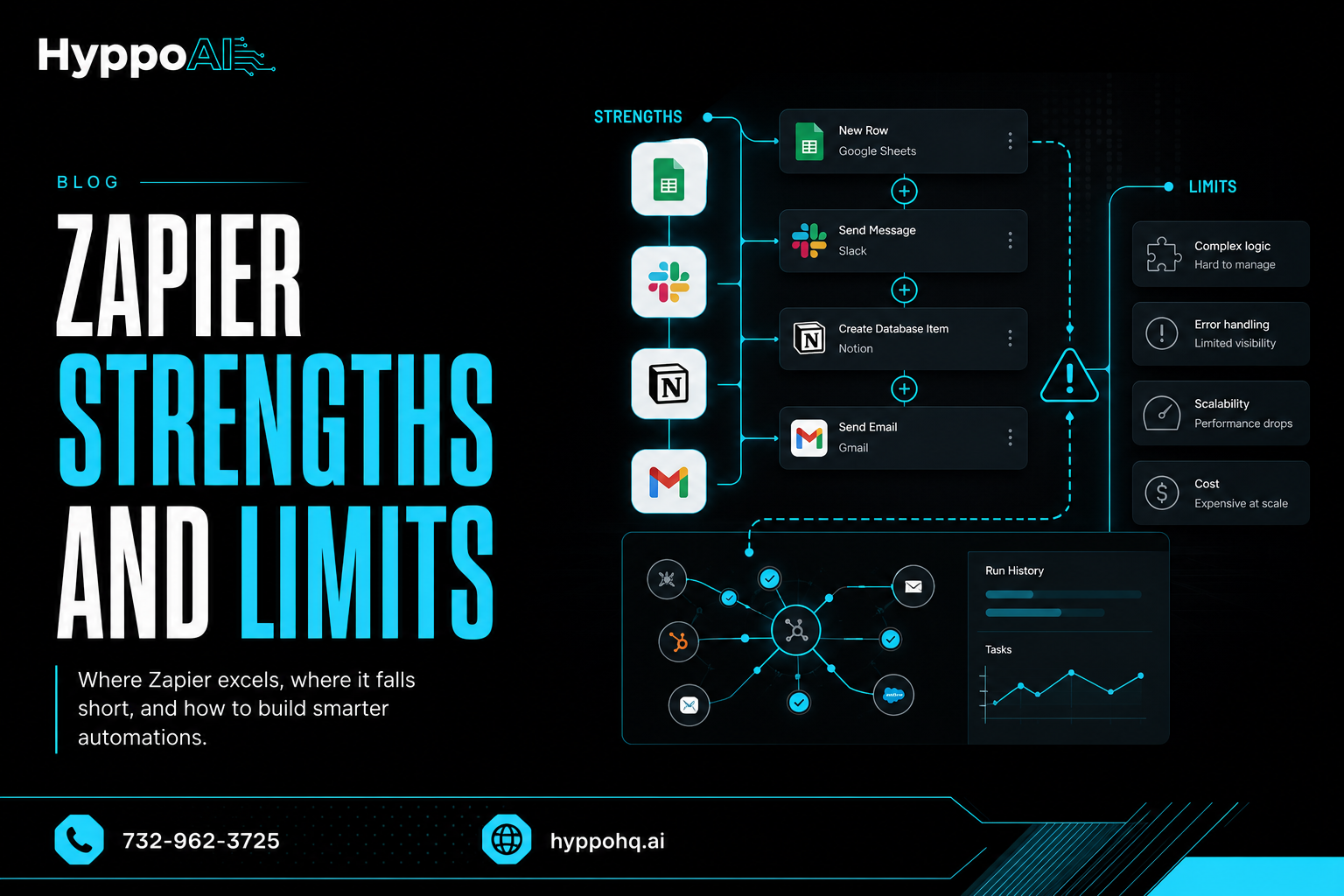
What Zapier is best at and where it breaks
Zapier is one of the most popular automation tools for a reason. It helps teams connect apps, move data, and reduce manual work without building everything from scratch.
For small and midsize businesses, that sounds ideal. You want speed. You want less busywork. You want systems that talk to each other without hiring a full engineering team.
But here is the honest take: Zapier is excellent at some jobs, and a poor fit for others.
If you understand where it performs best and where it starts to strain, you can save time, avoid fragile workflows, and make better automation decisions for your business.
What Zapier is best at
Zapier is strongest when the process is straightforward, app-based, and event-driven.
In plain terms, it works well when one thing happens in one system and that action should trigger something predictable in another system.
Fast app-to-app connections
This is Zapier’s core strength.
If your business uses common SaaS tools like Gmail, Slack, HubSpot, Google Sheets, Typeform, Calendly, or QuickBooks, Zapier can often connect them quickly.
Common examples include:
- Sending a Slack message when a form is submitted
- Adding leads from Facebook Lead Ads into a CRM
- Creating a task when a deal reaches a new stage
- Logging email attachments into cloud storage
- Updating a spreadsheet when an online order comes in
These are practical, high-frequency tasks that eat up time when handled manually.
Rapid prototyping for operations
Zapier is also great when you need to test a workflow before investing in a bigger system.
Instead of waiting weeks for a custom build, teams can create a working process in hours. That matters for SMBs that need momentum more than perfection.
You can validate questions like:
- Will this lead routing process help sales respond faster?
- Do we actually need this approval workflow?
- Which app should be the source of truth?
For early-stage operations, speed is a real advantage.
No-code automation for non-technical teams
Another reason Zapier wins is accessibility.
Operations managers, marketers, admins, and founders can build useful automations without writing code. That reduces dependency on developers for every minor process change.
For many businesses, this is the difference between automating now and never getting around to it.
Simple notifications and task handoffs
Zapier performs well with lightweight coordination.
Examples:
- Alerting a team when a high-value lead comes in
- Assigning follow-up tasks automatically
- Moving records between systems at key stages
- Triggering internal reminders
These workflows are simple but valuable. They reduce delays and keep teams aligned.
Where Zapier starts to break
Zapier becomes less reliable when workflows get more complex, more sensitive, or more central to your business.
This is where many companies run into friction.
Multi-step logic gets messy fast
A basic Zap is easy to understand. A large workflow with branching rules, filters, lookups, delays, formatting, and error paths is not.
As complexity grows, maintenance becomes the problem.
You may end up with:
- Long chains that are hard to debug
- Duplicate Zaps doing similar jobs
- Hidden dependencies between apps
- Logic spread across multiple automations
At that point, the automation exists, but few people truly understand it.
Errors can be easy to miss
When a workflow fails, the impact is not always obvious right away.
A missed notification is annoying. A missed lead assignment, invoice sync, or customer update is more serious.
Zapier does provide task history and error logs, but businesses often discover failures after the fact. If the workflow supports a revenue process or customer experience, that delay can hurt.
Data transformation is limited
Zapier can format fields, route records, and do basic manipulation. But once you need deeper transformation, enrichment, or business-specific logic, it starts to strain.
Examples include:
- Matching inconsistent records across systems
- Applying advanced rules to lead scoring
- Normalizing messy input data at scale
- Combining multiple sources into one decision engine
You can sometimes patch these issues with extra steps or external tools, but the workflow becomes harder to manage.
High-volume workflows can get expensive
Zapier pricing is often reasonable at the start. The challenge appears when task volume grows.
A single business process can generate many tasks per record. Multiply that by hundreds or thousands of events, and cost rises quickly.
For SMBs, this creates a common issue: the quick automation that saved time early on becomes a recurring operational expense that is harder to justify later.
It is not ideal for core business systems
If a workflow is mission-critical, Zapier may not be the best long-term foundation.
That includes processes like:
- Revenue operations pipelines
- Customer onboarding orchestration
- Complex support escalation flows
- Internal systems that require strict control and auditability
These workflows often need stronger governance, custom logic, and tighter reliability than a no-code connector is built to provide.
Where AI changes the conversation
This is where many SMBs need to think beyond simple automation.
Zapier is built to move information between systems based on rules. AI tools can go further by interpreting content, making decisions, and handling ambiguity.
Rules-based automation vs decision-based automation
Zapier is excellent when the rule is fixed.
For example:
- If a form is submitted, create a contact
- If a payment is received, send a confirmation
- If a meeting is booked, notify sales
But many real business processes are not that rigid.
You may need to:
- Read an email and determine intent
- Prioritize leads based on context, not just fields
- Categorize support requests from natural language
- Draft responses using internal business knowledge
- Route work based on nuance instead of a checkbox
That is where AI-driven workflows can outperform standard automation.
Zapier plus AI can work well together
This is not an either-or decision.
In many cases, Zapier still has value as the connector layer, while AI handles the reasoning layer.
For example:
- Zapier captures inbound form data
- AI qualifies the lead based on business rules and context
- The CRM is updated with a recommended next action
- Sales receives a prioritized alert
That kind of setup can be much more useful than a basic trigger-and-action workflow.
How SMBs should decide
If you are evaluating Zapier, do not ask whether it is good or bad. Ask whether it fits the job.
Zapier is a strong fit when:
- You need quick wins
- Your apps already have Zapier integrations
- The workflow is simple and repetitive
- The process is not deeply strategic or high-risk
- A non-technical team needs to manage it
Zapier is a weaker fit when:
- The workflow requires advanced logic
- Reliability is business-critical
- Volume is high enough to create cost pressure
- Data needs heavy transformation or validation
- You need AI reasoning, not just rule execution
The practical bottom line
Zapier is best at helping SMBs automate common app-to-app tasks quickly. It lowers the barrier to automation and can deliver real value fast.
Where it breaks is in complexity, scale, advanced decision-making, and mission-critical operations. That does not make it a bad tool. It just means it has a lane.
The smartest approach is to use Zapier where it is strong, avoid forcing it into jobs it was not built for, and bring in AI or custom systems when the workflow demands more.
If your team is trying to figure out whether Zapier is enough, or where AI automation should take over, HyppoAI can help you map the right solution for your SMB. Visit https://hyppohq.ai or call +17329623725 to talk through your workflows and next steps.
