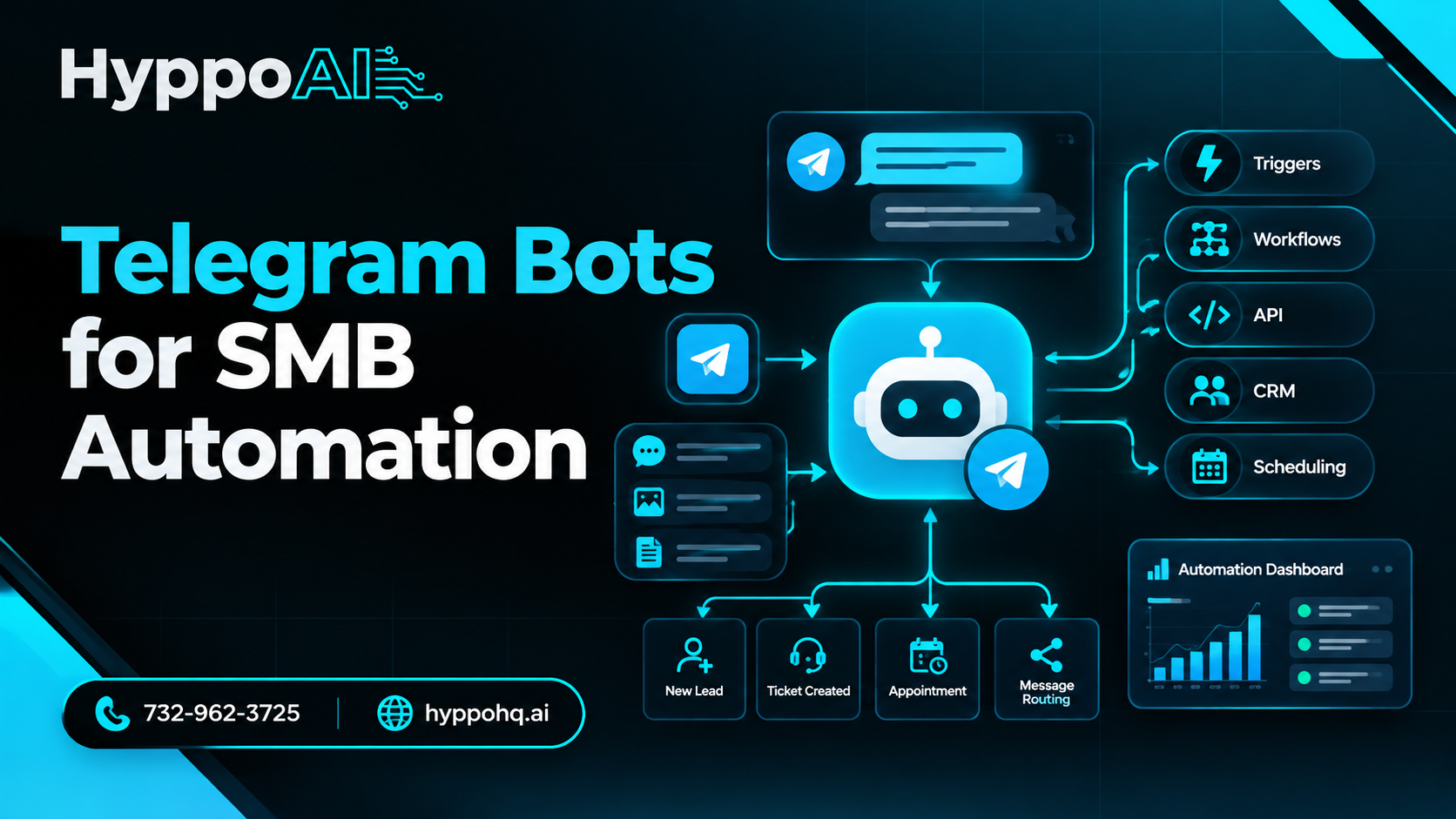
How Telegram bots power automation workflows for SMBs
Telegram bots are more than chat tools. For small and midsize businesses, they can act as a lightweight control panel for automation workflows.
Instead of logging into multiple apps, teams can receive alerts, approve actions, trigger tasks, and collect updates directly inside Telegram. That makes automation faster to use and easier to adopt.
If your business already uses forms, CRMs, calendars, spreadsheets, or internal dashboards, Telegram bots can connect those systems into a simple workflow experience.
What Telegram bots do in automation workflows
A Telegram bot is a software agent that sends and receives messages through Telegram. In automation, that bot becomes the interface between people and systems.
It can:
- send real-time notifications
- collect structured responses
- trigger actions in connected tools
- route requests to the right person
- confirm task completion
- escalate issues when rules are met
Think of it as a command layer on top of your existing stack. The systems still do the heavy lifting, but Telegram becomes the place where humans interact with the workflow.
Why businesses use Telegram bots for automation
Telegram bots are popular in automation because they are fast, flexible, and easy for teams to use.
1. Low friction for users
Most people already understand messaging. A bot inside a chat app feels simpler than another dashboard or portal.
That matters because even good automation fails when teams ignore it.
2. Real-time communication
Automation often depends on timing. Telegram bots can instantly push alerts for new leads, missed tasks, payment issues, inventory changes, or customer support escalations.
3. Two-way interaction
A lot of alerts are not enough on their own. Teams need to respond.
A Telegram bot can ask:
- Approve this quote?
- Assign this lead?
- Confirm this appointment change?
- Mark this job complete?
That response can trigger the next step automatically.
4. Easy connection point
Telegram bots can sit alongside tools like CRMs, help desks, scheduling apps, spreadsheets, and custom systems. They are often used with workflow platforms that connect multiple apps together.
Common Telegram bot automation use cases
The best use cases are practical. They reduce delays, manual follow-up, and context switching.
Lead routing and follow-up
When a new lead comes in from a website form, ad campaign, or landing page, a Telegram bot can:
- notify the sales team instantly
- post lead details into a group or private chat
- assign the lead based on rules
- prompt a rep to claim ownership
- trigger reminders if no one responds
For SMBs, speed-to-lead can directly affect conversion rates. Telegram makes that response loop faster.
Internal approvals
Approvals often slow down operations. A Telegram bot can simplify approvals for:
- discounts or quotes
- purchase requests
- content publishing
- refunds
- schedule changes
- budget sign-off
Instead of email chains, the approver gets a message with clear options. One tap can approve, reject, or request more info.
Task and project updates
Teams can use Telegram bots to keep work moving without another meeting.
Examples include:
- daily status prompts
- overdue task alerts
- project milestone updates
- handoff confirmations between departments
This is especially useful when operations rely on repeatable processes.
Customer support escalation
A support system can push urgent tickets into Telegram when certain triggers happen, such as:
- VIP customer issues
- negative sentiment detected
- no response within SLA
- repeated complaint keywords
The bot can alert the right person and capture a fast response path.
Field team coordination
Service businesses often have mobile teams that need quick updates. Telegram bots can help with:
- dispatch notifications
- job completion check-ins
- photo or note submission
- ETA updates
- issue escalation from the field
This keeps office staff and field staff aligned in real time.
Monitoring and alerts
Telegram bots are frequently used for operational monitoring.
A bot can send alerts when:
- a payment fails
- a website form breaks
- an integration stops running
- inventory drops below a threshold
- a high-value lead arrives
- a scheduled workflow errors out
For lean teams, this can prevent small issues from becoming expensive ones.
How a Telegram bot fits into a workflow
Most Telegram bot automations follow a simple pattern:
- A trigger happens in another system.
- The workflow platform processes the event.
- The Telegram bot sends a message or prompt.
- A user responds, or the bot logs the alert.
- The workflow updates the connected systems.
For example:
- A form submission creates a new CRM contact.
- The bot posts the lead into Telegram.
- A sales rep taps a claim button.
- The workflow assigns the lead in the CRM.
- If no claim happens in 10 minutes, the lead escalates to a manager.
That is where Telegram shines: fast human action inside a larger automated process.
Best practices for Telegram bot automation
Telegram bots are useful, but they work best when the workflow is designed with discipline.
Keep messages actionable
Avoid vague alerts. Each message should answer:
- What happened?
- Why does it matter?
- What should the user do next?
Limit noise
If the bot sends too many low-value notifications, people will mute it. Focus on events that need awareness or action.
Use structured choices
Buttons, short replies, and simple prompts reduce friction and improve response consistency.
Build fallback rules
What happens if no one replies? Good workflows include reminders, reassignment, or escalation logic.
Protect sensitive data
Only send the information that users need. Be thoughtful about access, group visibility, and compliance requirements.
When Telegram bots are a strong fit
Telegram bots are especially effective when your business needs:
- fast internal communication
- mobile-friendly workflow actions
- lightweight approvals
- instant operational alerts
- simple interfaces for non-technical users
They are not always the full solution. In most cases, the real value comes from pairing the bot with a well-designed automation system behind it.
Final takeaway
Telegram bots are used in automation workflows because they bridge the gap between systems and people. They turn passive notifications into active operations.
For SMBs, that can mean faster lead response, cleaner approvals, better team coordination, and fewer manual bottlenecks.
The key is not the bot alone. It is the workflow design around it. If you want automation that your team will actually use, meeting them in a familiar messaging environment can be a smart move.
If your business is exploring practical AI and automation systems, HyppoAI helps SMBs design workflows that reduce friction and improve response time. Visit https://hyppohq.ai or call +17329623725 to talk through what automation could look like for your operation.
