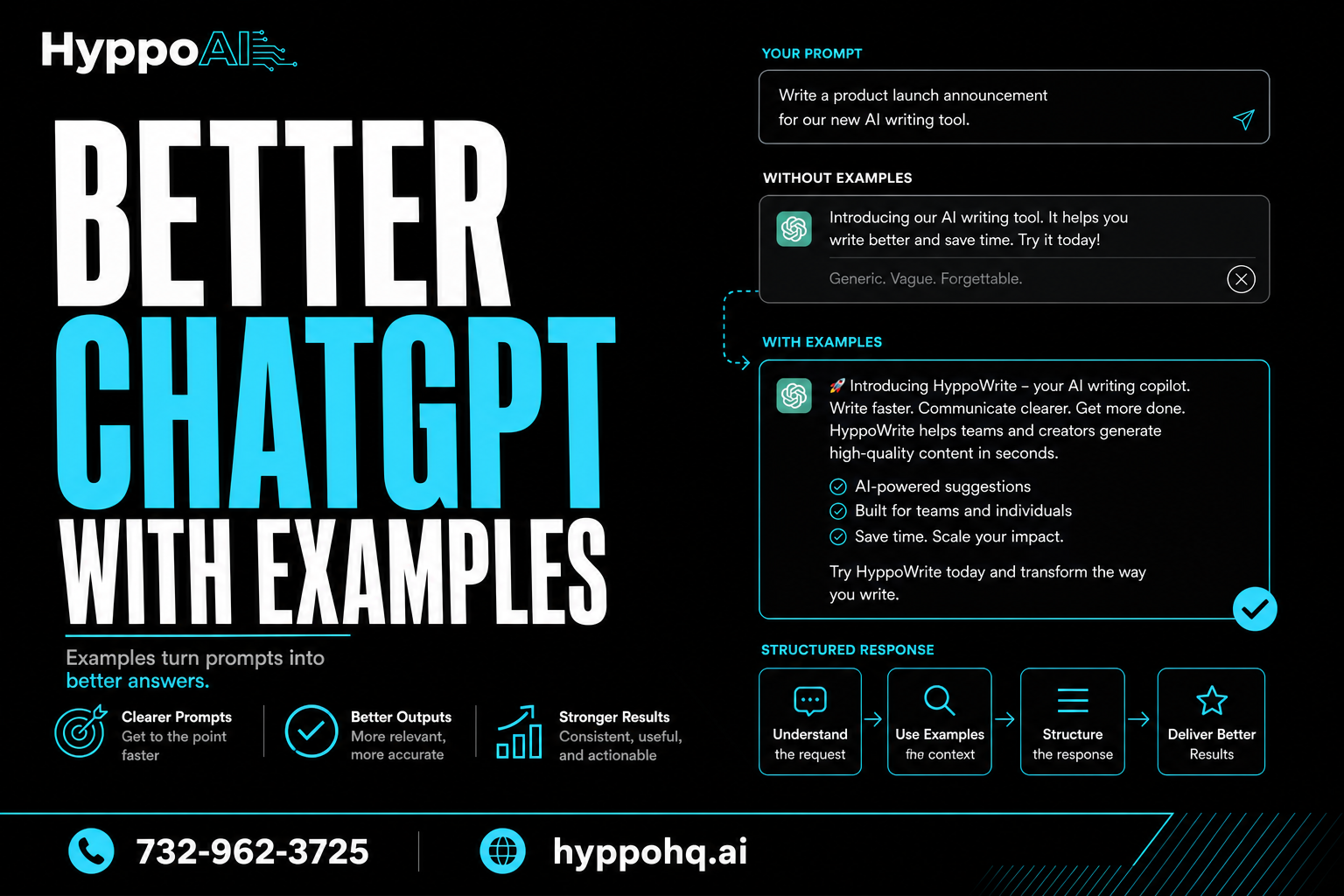
How examples improve ChatGPT responses instantly
If you use ChatGPT for work, speed matters. So does accuracy. One of the fastest ways to improve output is surprisingly simple: add examples.
Most weak AI responses are not caused by a bad model. They come from unclear instructions. When you give ChatGPT a pattern to follow, it has a much better chance of producing something useful on the first try.
For SMB teams, this matters even more. You do not have time to babysit every prompt. You need cleaner drafts, better summaries, stronger marketing copy, and more reliable workflows. Examples help make that happen.
Why examples work so well
ChatGPT is good at recognizing structure, tone, format, and intent. But if your prompt is vague, it fills in the gaps based on probability, not your exact preference.
Examples reduce that ambiguity.
When you include one or two examples, you are showing the model:
- what good looks like
- what format to use
- what tone to match
- what level of detail you want
- what to avoid
That is why example-based prompting often works better than simply adding more instructions.
The difference between instructions and examples
Instructions tell ChatGPT what you want. Examples show ChatGPT what you mean.
Both matter, but examples usually tighten the result much faster.
For example, this prompt is decent:
- Write a professional follow-up email for a roofing lead. Keep it short and friendly.
Now compare it with this:
- Write a professional follow-up email for a roofing lead. Keep it short and friendly.
- Use a tone like this: "Just checking in after your estimate request. We would be happy to answer any questions and help you schedule the next step."
- Keep the email under 100 words.
The second version gives the model a clearer target. It is no longer guessing what "short and friendly" means.
What kinds of examples help most
You do not need a long prompt. In many cases, one strong example is enough.
1. Tone examples
If you want a specific voice, show a sample.
Useful for:
- sales emails
- social captions
- customer support replies
- proposals
- blog intros
Example:
- Write a LinkedIn post about AI automation for service businesses.
- Match this tone: direct, practical, and confident.
- Example: "Most businesses do not need more tools. They need fewer manual steps. Automation works best when it removes friction, not when it adds complexity."
2. Format examples
If the structure matters, include a sample layout.
Useful for:
- SOPs
- summaries
- meeting notes
- checklists
- reports
Example:
- Summarize this call in the format below:
- Client goal
- Main blockers
- Recommended next step
- Deadline
That one formatting example can instantly improve consistency.
3. Before-and-after examples
These are great when you want the model to transform content.
Useful for:
- rewriting copy
- simplifying technical writing
- improving grammar
- shortening messages
- converting notes into polished text
Example:
- Rewrite this paragraph to sound more concise.
- Example transformation:
- Before: "We are reaching out to let you know that we wanted to follow up regarding the matter discussed previously."
- After: "Following up on our earlier conversation."
Now the model understands the kind of edit you want.
4. Good vs bad examples
This is useful when quality control matters.
You can say:
- Good example: clear, specific, action-oriented.
- Bad example: vague, repetitive, too formal.
This helps ChatGPT avoid common mistakes before it makes them.
A simple prompt formula that works
If you want better responses quickly, use this structure:
Goal + context + example + constraints
Here is a basic template:
- Goal: what you want created
- Context: who it is for and why
- Example: a sample of tone, structure, or output
- Constraints: word count, format, style, do-not-use notes
Example:
- Write a follow-up text for a missed sales call.
- The audience is busy homeowners.
- Use a tone like this: "Quick follow-up in case now is a better time. Happy to help when ready."
- Keep it under 35 words and include a clear next step.
That prompt is short, but it gives ChatGPT enough direction to produce a much stronger result.
Common mistake: too much explanation, not enough examples
A lot of users try to improve prompts by stacking more instructions.
They write things like:
- be professional
- but not too stiff
- and friendly
- but still persuasive
- and concise
- and clear
- and tailored
That can help, but it still leaves room for interpretation.
A short example often does more work than six abstract adjectives.
Instead of overexplaining, show one version that is close to what you want.
How SMB teams can use examples in daily workflows
This is where example-based prompting becomes practical, not theoretical.
If your team uses ChatGPT regularly, create a small library of approved examples for repeat tasks.
That might include:
- lead follow-up messages
- customer support replies
- estimate summaries
- review response templates
- blog outlines
- social post structures
- internal SOP formats
Once you have these, your prompts become faster and more consistent.
Build reusable prompt snippets
You do not need a giant prompt database. Start with a few examples that support high-frequency tasks.
For instance:
- one example of a strong sales follow-up
- one example of a clean meeting summary
- one example of a brand-aligned social caption
- one example of a concise customer reply
These snippets can dramatically reduce editing time.
When examples matter most
Examples are especially useful when:
- the output needs a specific tone
- the format must be consistent
- the task is subjective
- multiple team members use the same workflow
- you are unhappy with first-draft quality
If your results feel generic, examples are usually the fastest fix.
A quick side-by-side comparison
Here is the difference in practice.
Weak prompt
Write a customer response to someone asking if you offer weekend appointments.
Better prompt with example
Write a customer response to someone asking if you offer weekend appointments. Use this style: "Thanks for reaching out. We try to make scheduling easy and can confirm the best available options for you quickly." Keep it under 50 words and sound helpful, not salesy.
The second prompt gives ChatGPT a target voice and boundary. That usually leads to a cleaner answer immediately.
Final takeaway
If you want better ChatGPT responses instantly, do not just tell it what to do. Show it what good looks like.
Examples improve clarity, reduce guesswork, and create more consistent outputs across marketing, sales, support, and operations. For SMBs, that means less time editing and more time using AI productively.
Start simple. Add one example to your next prompt and compare the result. You will likely notice the difference right away.
If your business wants practical AI systems that save time and improve daily workflows, HyppoAI can help. Visit https://hyppohq.ai or call +17329623725 to learn how smarter prompting and automation can support your team.
