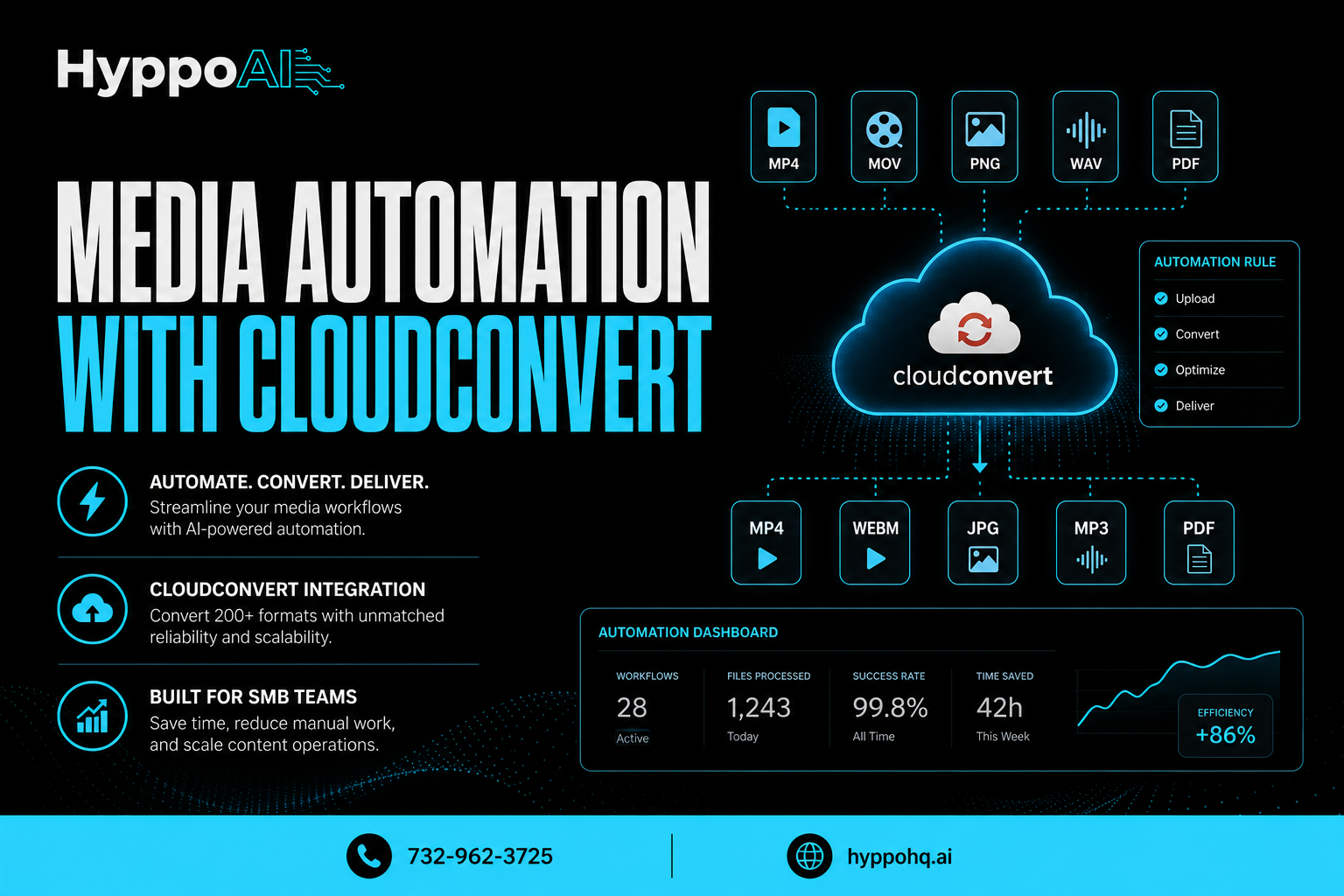
How CloudConvert powers media automation for SMB teams
Media automation is only as strong as the systems behind it.
For small and mid-sized businesses, content workflows often break down in simple places: the wrong file type, inconsistent media specs, slow manual exports, or team members wasting time converting assets one by one. That is where CloudConvert becomes useful.
CloudConvert is commonly used as a file conversion layer inside broader automation systems. Instead of treating conversion as a manual task, businesses can make it part of a repeatable workflow. At HyppoAI, that matters because automation is not just about doing things faster. It is about building systems that reduce friction, improve consistency, and help teams scale.
What CloudConvert does in media automation
CloudConvert is a cloud-based file conversion tool that supports a wide range of file types, including video, audio, image, document, ebook, and archive formats. In media automation, its role is straightforward: it transforms files from one format into another so they can move smoothly through the next step of the process.
That may sound simple, but it solves a real operational problem.
A media workflow often involves multiple platforms, and each platform has different requirements. One tool exports WAV, another needs MP3. A design file may need to become a web-friendly JPG or PNG. A video may need to be compressed, resized, or converted before it is uploaded, reviewed, or published.
Instead of assigning those steps to a person every time, CloudConvert can handle them automatically.
Why file conversion matters more than most teams realize
Many businesses focus on the creative side of media production but overlook the operational side. The result is bottlenecks.
Common issues include:
- Videos exported in formats a platform will not accept
- Audio files that are too large for delivery or storage
- Images that need resizing before publishing
- Documents that must be standardized for internal workflows
- Teams repeating the same conversion tasks every week
These are not strategic tasks. They are system tasks.
When those tasks are automated, teams get back time and reduce errors. That is especially important for SMBs where one person may be managing content, operations, and marketing at the same time.
How CloudConvert fits into an automation workflow
CloudConvert usually works best when connected to other tools.
A typical media automation flow might look like this:
- A file is uploaded to a form, folder, or app
- An automation platform detects the new file
- CloudConvert converts the file to the required format
- The converted file is sent to storage, editing, publishing, or approval tools
- Notifications or follow-up actions are triggered automatically
This turns file handling into a background process instead of a recurring interruption.
Example use cases for SMB media teams
Here are a few practical ways CloudConvert is used in media automation:
1. Social media asset preparation
A team creates source media in one format, but each publishing tool or platform may prefer another. CloudConvert can automatically convert images, videos, or audio clips into the required format before scheduling or posting.
Benefits include:
- Faster publishing workflows
- Fewer rejected uploads
- More consistent asset handling
- Less manual back-and-forth between tools
2. Podcast and audio workflow automation
If a team records in WAV for quality but distributes in MP3 for accessibility, CloudConvert can automate that step. Once the source file is uploaded, the converted version can be routed to storage, editing review, or publishing tools.
This is useful for:
- Podcast production
- Internal training audio
- Voice content for marketing
- Audio libraries for customer-facing content
3. Video delivery and compression
Video files are often too large or in the wrong format for clients, platforms, or internal systems. CloudConvert can help standardize those outputs so files are easier to share and publish.
That means:
- Better compatibility across platforms
- Reduced file size for delivery
- More reliable handoff between production and publishing
4. Document and creative handoff
Media automation is not just video and audio. Teams often need to convert supporting documents, briefs, transcripts, or image exports as part of a broader content process. CloudConvert can help standardize these assets before they move to the next stage.
The operational advantage of using CloudConvert
The real value is not just conversion. It is consistency.
When conversion is automated, businesses can create more predictable systems. That improves operations in several ways:
- Fewer manual tasks for team members
- Lower risk of formatting errors
- Faster turnaround times
- Easier scaling as content volume grows
- Cleaner integration between tools
For SMBs, this matters because growth usually creates complexity before it creates capacity. If your team is producing more media but still relying on manual admin work, your workflow will eventually slow down.
CloudConvert helps remove one of those friction points.
Where CloudConvert fits in a larger AI and automation stack
CloudConvert is not a full media automation strategy by itself. It is one component inside a larger system.
At HyppoAI, we look at tools like CloudConvert as infrastructure pieces. They support the workflow, but the bigger goal is building an end-to-end process that works with minimal human intervention.
That larger system may include:
- File intake from forms, email, or cloud storage
- AI-powered tagging or classification
- Automated file conversion with CloudConvert
- Routing to editing, publishing, or archive systems
- Notifications for approvals or next actions
- CRM or project management updates
This is where automation becomes strategic. Instead of solving one task at a time, businesses create connected workflows that reduce delays across the entire process.
Best practices when using CloudConvert in media automation
If you are considering CloudConvert as part of your workflow, keep these principles in mind:
Standardize your output requirements
Know exactly what formats, sizes, and specs your downstream tools need. Automation works best when the target output is clearly defined.
Automate around triggers
Use clear events to start the process, such as:
- New file uploaded
- Form submitted
- Asset added to a folder
- Project moved to a new stage
Build for exceptions
Not every file will behave the same way. Include checks, alerts, or fallback paths for unsupported files or failed conversions.
Keep the workflow simple
Do not overcomplicate the system. Start with the highest-friction conversion task and automate that first.
Measure time saved
The value of media automation is often operational. Track how much manual work is removed and how much faster assets move through the system.
Is CloudConvert right for your business?
If your team regularly handles media files across different formats, the answer is often yes. CloudConvert is especially useful when file conversion is repetitive, time-consuming, or blocking the next step in the workflow.
It is a practical tool for businesses that want cleaner systems without adding unnecessary complexity.
For SMBs, that is the key. The goal is not to add more software for the sake of it. The goal is to remove manual steps that slow the business down.
CloudConvert can do that when it is implemented as part of a smart automation process.
If your business is looking to streamline media workflows, reduce repetitive tasks, and build better automation systems, HyppoAI can help. Visit https://hyppohq.ai or call +17329623725 to learn how we approach practical AI and automation for SMB teams.
