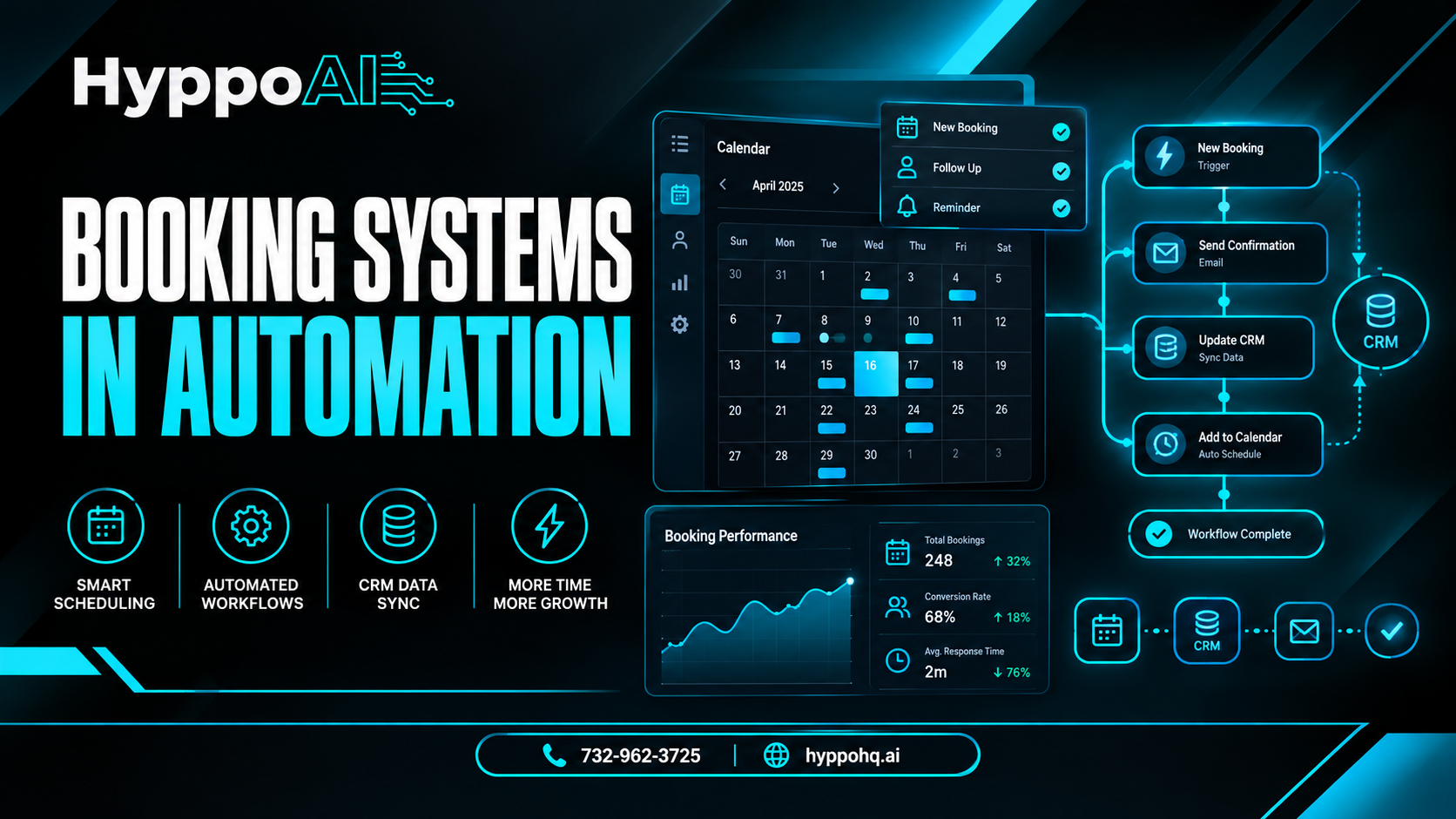
Calendly-style booking systems in business automation
Calendly-style booking systems are often seen as simple scheduling tools. In practice, they can become a core part of business automation.
For small and midsize businesses, the value is not just letting someone pick a time on a calendar. The real value is what happens before, during, and after the booking. When connected to the rest of your systems, a booking link can help qualify leads, trigger reminders, route appointments, and start follow-up automatically.
If you are building a more efficient sales or service workflow, this is where Calendly-style booking systems fit in.
What a Calendly-style booking system actually does
At the basic level, these tools let prospects, customers, or partners book time based on real availability. That removes the back-and-forth of emails and missed calls.
But the bigger opportunity is that a booking system can also:
- collect intake details before the meeting
- apply routing rules based on answers
- sync with team calendars
- send confirmation and reminder messages
- trigger CRM updates
- launch post-meeting follow-up tasks
That makes the booking page more than a calendar. It becomes an automation checkpoint in your customer journey.
Why booking tools matter in automation
Automation works best when there is a clear trigger. A booked appointment is one of the strongest triggers a business can have because it signals intent.
Someone who books time is taking action. That action can be used to start a sequence of automated steps without manual work from your team.
Common automation triggers tied to bookings
Once an appointment is booked, your system can automatically:
- create or update a contact record in your CRM
- assign the lead to the right sales or service rep
- send SMS or email confirmations
- push meeting details into internal team channels
- create tasks for prep work
- send intake forms or document requests
- start reminder sequences to reduce no-shows
- trigger follow-up if the meeting is canceled or missed
This is where scheduling stops being administrative and starts becoming operational.
Where booking systems fit in the lead flow
A Calendly-style tool usually sits in the middle of a broader process, not at the beginning or end.
A typical flow may look like this:
- A lead comes in from your website, ads, social media, or outbound outreach.
- The lead is invited to book a call or demo.
- The booking form captures key information.
- The system routes the appointment based on need, location, or service type.
- Automated reminders go out before the meeting.
- After the meeting, the CRM is updated and follow-up begins.
In that setup, the booking system acts as a bridge between lead generation and conversion.
The best use cases for SMBs
For SMBs, booking automation is most useful when speed and consistency matter.
Sales consultations
If your team offers discovery calls, demos, or consultations, a booking link can reduce friction and increase conversion. Instead of waiting for someone to reply to an email, they can schedule instantly.
Service appointments
For service businesses, booking tools can collect the details needed before the appointment. That helps teams arrive prepared and reduces back-and-forth.
Support or onboarding calls
Customer success and onboarding teams can use booking automation to schedule training, setup, or troubleshooting sessions while keeping records clean.
Multi-person routing
If different team members handle different services, territories, or account sizes, the booking system can route people to the right calendar automatically.
What to automate around the booking itself
A lot of businesses stop at the booking confirmation. That leaves a lot of efficiency on the table.
The higher-value setup is to automate the full workflow around the appointment.
Before the meeting
Use the booking process to:
- ask qualifying questions
- collect contact details
- identify the service needed
- gather budget or timeline information
- share expectations for the meeting
This reduces wasted calls and improves handoff quality.
Between booking and meeting
Use automation to:
- send reminders by email or SMS
- reschedule easily when needed
- deliver forms, proposals, or prep documents
- notify internal staff of new appointments
- add the lead to the right pipeline stage
These steps improve show rates and reduce manual coordination.
After the meeting
Once the meeting ends, automation can:
- send thank-you messages
- trigger next-step emails
- assign follow-up tasks
- move the opportunity in the CRM
- request missing information
- launch nurture sequences if the lead is not ready
This is often where the biggest gains happen because follow-up is where many SMBs lose momentum.
How booking tools support AI and automation together
Calendly-style systems fit especially well into AI-powered workflows.
For example, AI can help before the booking by handling first-touch conversations on your website or via messaging. Once the lead is qualified, the AI can direct them to the correct booking link.
After the appointment is scheduled, automation can take over. In more advanced setups, AI can also help summarize intake data, prioritize appointments, or assist with post-call follow-up.
That creates a more complete system:
- AI helps engage and qualify
- the booking tool captures intent and schedules time
- automation handles reminders, routing, and follow-up
This structure is practical because each tool does a specific job well.
Common mistakes to avoid
Businesses often add a booking tool but do not integrate it into their operating workflow.
Here are a few common mistakes:
Treating it as a standalone tool
If your booking system is not connected to your CRM, messaging tools, or internal workflows, your team still ends up doing manual work.
Asking too little or too much
A weak form can lead to poor qualification. An overly long form can reduce conversion. The right balance depends on how much information your team truly needs before the call.
Ignoring no-show prevention
A booking alone does not guarantee attendance. Reminder sequences and easy rescheduling options matter.
No post-booking logic
If every appointment gets the same process regardless of type, source, or urgency, you lose efficiency. Routing and follow-up logic should match the use case.
What a good setup looks like
A strong Calendly-style automation setup is simple for the customer and structured for the business.
It usually includes:
- a clear booking purpose
- the right intake questions
- calendar routing rules
- CRM integration
- reminder automation
- internal notifications
- post-meeting follow-up logic
The goal is not just to save time. It is to create a smoother path from interest to action.
Final thought
Calendly-style booking systems fit into automation because they turn scheduling into a reliable business trigger. Instead of treating appointments as isolated calendar events, smart businesses use them as the start of coordinated workflows.
For SMBs, that can mean faster response times, fewer no-shows, better qualification, and more consistent follow-up. In other words, better operations without adding more manual work.
If you want to build smarter scheduling and automation workflows for your business, HyppoAI can help. Visit https://hyppohq.ai or call +17329623725 to learn how automation can support your lead flow, booking process, and follow-up systems.
