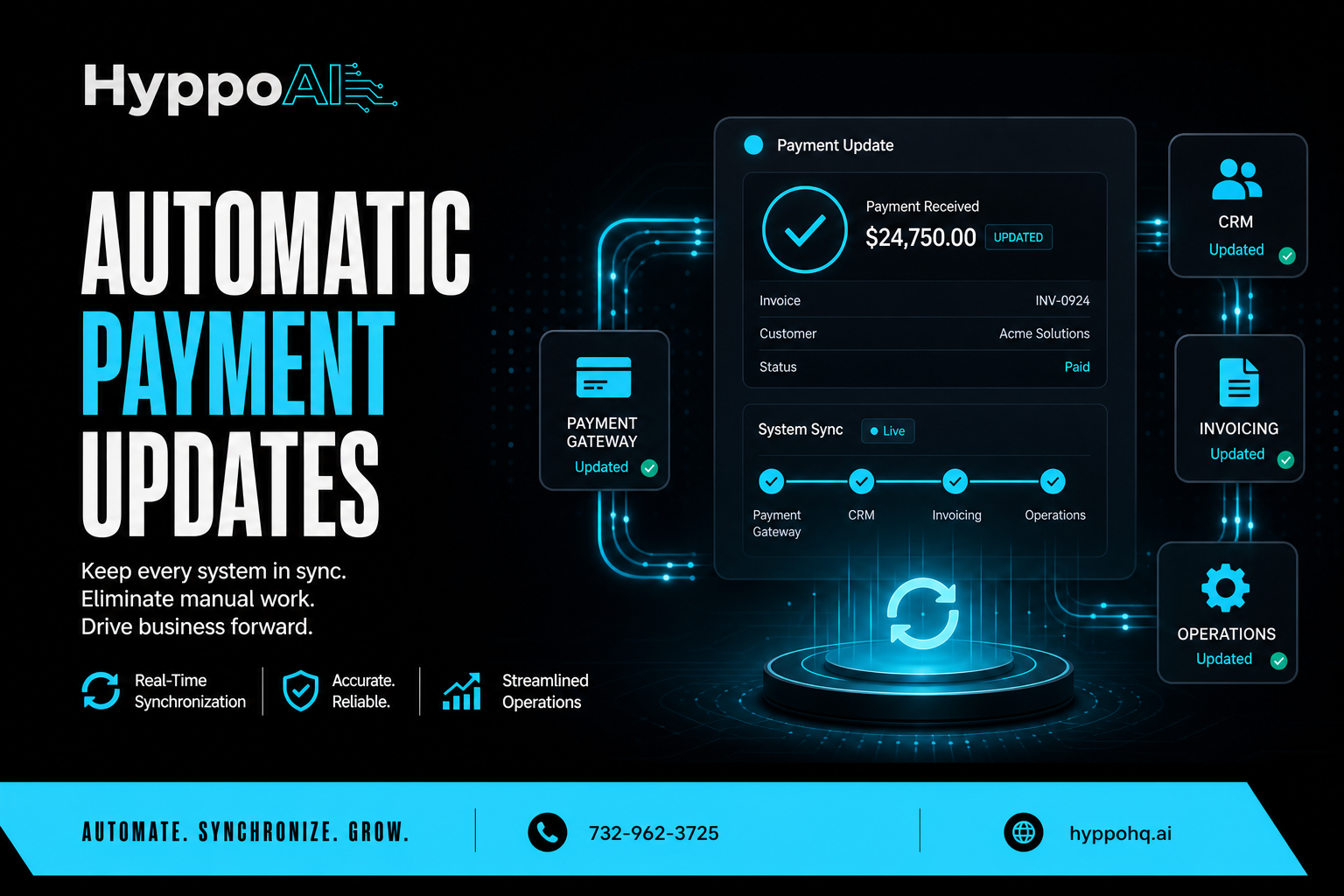
How automatic payment updates streamline business systems
For small and midsize businesses, every manual handoff creates friction. A payment comes in, then someone has to update a CRM, notify the team, mark an invoice as paid, trigger onboarding, or release the next step in a workflow.
That lag may seem small, but it adds up fast. When payments update systems automatically, businesses reduce delays, cut down on mistakes, and create a smoother experience for both customers and staff.
At a practical level, this means your systems talk to each other. Once a customer pays, connected tools can update records, trigger actions, and move work forward without waiting for someone to do it manually.
What it means when payments update systems automatically
Automatic payment updates happen when a payment event triggers other actions across your business software.
For example, after a successful payment, your systems might:
- Mark an invoice as paid
- Update the customer record in your CRM
- Send a confirmation email or text
- Notify your team in Slack or another internal tool
- Start onboarding or service delivery
- Unlock a subscription, portal, or digital product
- Update dashboards and reporting
Instead of treating payment as the end of a process, automation turns it into the start of the next one.
Why this matters for SMBs
Large companies often have dedicated operations teams. SMBs usually do not. That means owners and small teams carry the burden of follow-up, admin, and process management.
When payment data updates systems automatically, you create leverage.
1. Less manual work
Manual updates take time and attention. Even simple tasks like checking for payment, updating a spreadsheet, and messaging the team can interrupt higher-value work.
Automation removes repetitive admin so your team can focus on sales, service, and growth.
2. Fewer errors
Humans miss things. A paid invoice might stay open. A customer may not get access on time. A team member could forget to schedule the next step.
Connected systems reduce these gaps by making the update happen instantly and consistently.
3. Faster customer experience
Customers expect speed. If they pay, they want confirmation right away. They also expect the next step to happen without chasing your team.
Automatic updates help deliver:
- Immediate receipts and confirmations
- Faster onboarding
- Quicker appointment or service scheduling
- Better visibility into account status
4. Better cash flow visibility
If payments feed directly into reporting and dashboards, you get a clearer picture of what is happening in real time.
That helps with:
- Revenue tracking
- Outstanding balances
- Forecasting
- Decision-making
Common systems that can update after a payment
Payment-triggered automation can connect with many parts of the business. The exact setup depends on your tools, but common integrations include the following.
CRM systems
When a customer pays, the CRM can update contact status, deal stage, tags, or account notes.
This helps sales and service teams see the latest customer activity without asking around.
Accounting and invoicing tools
Payments can automatically reconcile invoices, update balances, and reduce duplicate data entry.
This keeps finance records cleaner and makes month-end less painful.
Project management or task systems
A successful payment can create a project, assign tasks, or move a client into the next workflow stage.
That means operations can begin immediately.
Communication tools
Your systems can send emails, texts, or internal alerts the moment a payment clears.
Examples include:
- Customer thank-you messages
- Internal payment notifications
- Next-step instructions
- Renewal reminders
Access and delivery systems
For memberships, subscriptions, courses, or digital services, payment can trigger access automatically.
That removes delays and improves the customer experience.
Real-world examples of payment automation
The value becomes clearer when you look at everyday business scenarios.
Service business onboarding
A customer pays a deposit for a service. Instead of waiting for someone to notice, the payment automatically:
- Updates the CRM
- Sends a welcome email
- Creates the job in the scheduling system
- Notifies the team to begin intake
The process moves instantly.
Subscription or recurring billing
A recurring payment succeeds. The system automatically:
- Marks the account active
- Updates billing status
- Sends a receipt
- Logs the payment in reporting
If a payment fails, it can also trigger reminders or follow-up workflows.
Consulting or agency work
A client pays an invoice. That payment can:
- Move the client into the next project phase
- Create internal tasks
- Notify account managers
- Release documents or deliverables
This keeps client work moving without bottlenecks.
What to watch out for
Automation is powerful, but it works best when the process behind it is clear.
Before setting up payment-triggered workflows, make sure you understand:
Your exact trigger points
Ask questions like:
- Should actions happen after a successful payment only?
- What about partial payments?
- What happens if a payment is refunded?
- What should occur when a recurring payment fails?
Clear logic prevents messy outcomes.
Your data structure
If your CRM, invoicing tool, and operations platform all use different naming conventions or customer records, automation can create confusion instead of clarity.
A clean setup matters.
Exception handling
Not every case fits the same rule. Some customers may need manual review, custom approvals, or payment verification.
Good automation includes paths for exceptions, not just ideal scenarios.
Signs your business is ready for this kind of automation
You do not need to be a large company to benefit. In fact, SMBs often gain the most because every hour and every missed step matters more.
You are likely ready if:
- Your team manually checks whether invoices were paid
- Customers wait too long for next steps after paying
- Staff re-enter payment information into multiple systems
- Paid customers slip through the cracks
- Reporting is delayed or inaccurate
- Growth is creating more admin than your team can handle
How AI and automation fit together
Payment automation is not just about connecting apps. It is part of a larger operational strategy.
AI can help businesses go further by supporting decisions, prioritizing follow-up, and improving how workflows respond to customer behavior.
For example, once payment data is flowing properly, AI can help identify patterns such as:
- Which customers are most likely to renew
- Which accounts need follow-up after failed payments
- Where onboarding delays are hurting retention
- Which services produce the strongest cash flow
In other words, automation handles the action, and AI helps improve the logic behind it.
Start simple, then scale
The best approach is usually not to automate everything at once. Start with a few high-impact payment events and build from there.
A strong starting point might be:
- Payment received
- Invoice updated
- Customer record updated
- Confirmation sent
- Team notified
Once that works reliably, you can expand into onboarding, reporting, renewals, and exception handling.
The bottom line
When payments update systems automatically, businesses operate faster and with less friction. Teams spend less time on admin, customers get a smoother experience, and leadership gets better visibility into what is happening.
For SMBs, this is not just a convenience. It is a practical way to scale operations without adding unnecessary manual work.
If your payment process still depends on someone checking, copying, updating, and notifying by hand, there is a better way to run it.
HyppoAI helps businesses build smarter systems that reduce busywork and improve operational flow. Visit https://hyppohq.ai or call +17329623725 to explore how automation can support your next stage of growth.
